Running a Small Business Is Hard -The Right Tools Make It Easier
Running a small business means wearing multiple hats every day – and finding the right digital marketing tools for small businesses is one of the fastest ways to solve the problem.
One moment you’re replying to customer emails. The next, you’re creating Instagram posts, updating your website, checking sales, or wondering why your latest blog isn’t ranking on Google.
The biggest challenge isn’t a lack of effort – it’s a lack of time.
Fortunately, you don’t need a large marketing team or an expensive software stack to grow your business. The right digital marketing tools for small businesses can automate repetitive tasks, help you reach more customers, and give you valuable insights into what’s working.
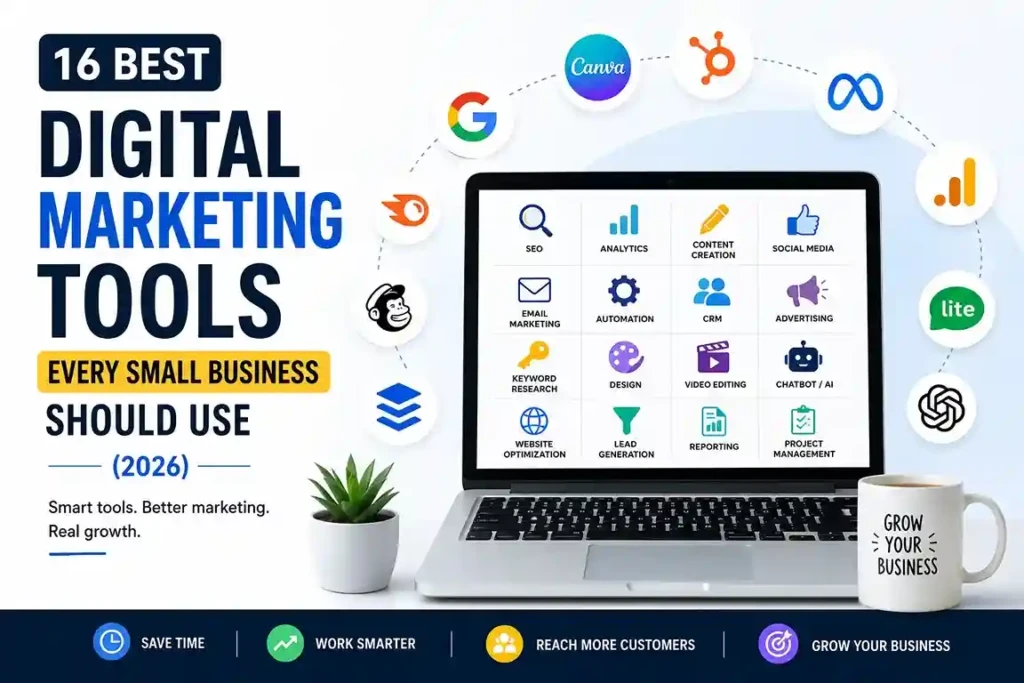
In this guide, you’ll discover 16 of the best digital marketing tools for small businesses, including free and paid options for SEO, analytics, content creation, email marketing, customer relationship management, and online advertising.
If you’re completely new to this, our Learn Digital Marketing for Free: Step-by-Step Beginner Guide (2026) covers the fundamentals these tools build on. And if visibility on Google is your top priority, start with SEO Basics for Beginners before diving into the SEO tools below.
Why Digital Marketing Tools for Small Businesses Matter
Imagine trying to build a castle with nothing but a hammer.
Technically, it’s possible – but it would take far longer than using the right set of tools. The same principle applies to digital marketing.
Without the right tools, you’ll spend hours performing tasks that could be completed in minutes. You might miss valuable insights about your customers, struggle to rank on Google, or waste money on marketing campaigns that don’t deliver results. Google’s own Search Central documentation confirms this – sites that follow structured, tool-supported SEO practices are far more likely to get indexed correctly and surface for relevant searches.
The good news is that modern marketing tools can automate repetitive work, provide data-driven insights, and help you make smarter decisions – all without requiring a large budget.
Here are just a few ways they can help:
- Save time through automation.
- Improve your website’s visibility on Google.
- Understand how visitors interact with your website.
- Create professional graphics and videos.
- Schedule social media posts in advance.
- Build stronger relationships with customers through email.
- Measure what’s working and what’s not.
Quick Tip: Don’t choose a tool because it’s popular. Choose it because it solves a specific problem in your business.
How We Chose These Digital Marketing Tools
There are thousands of digital marketing tools for small businesses available today. Some are excellent, while others are packed with features you’ll never use.
To keep this guide practical, every tool below had to pass five simple tests:
- beginner-friendly (no weeks of training needed)
- affordable (a genuine free plan, free trial, or low entry price)
- trusted by professionals (not an obscure app nobody else uses)
- scalable (grows with you instead of forcing a switch later)
- and worth the investment (clear time, efficiency, or results payoff, free or paid)
Rather than listing every tool on the market, we’ve focused on the ones that offer the best balance of usability, features, and affordability.
New to digital marketing? Before exploring these tools, download our Free Beginner’s Guide to Digital Marketing. It explains the fundamentals of SEO, social media, email marketing, and Google Ads in simple language, making it the perfect companion to this article.
Want More Customers From Google? Start With These SEO Tools
If customers can’t find your business online, they’re likely finding your competitors instead.
The following digital marketing tools help improve your visibility in search results, discover valuable keywords, and monitor your website’s SEO performance.
1. Google Search Console
- Free | Best for SEO Beginners
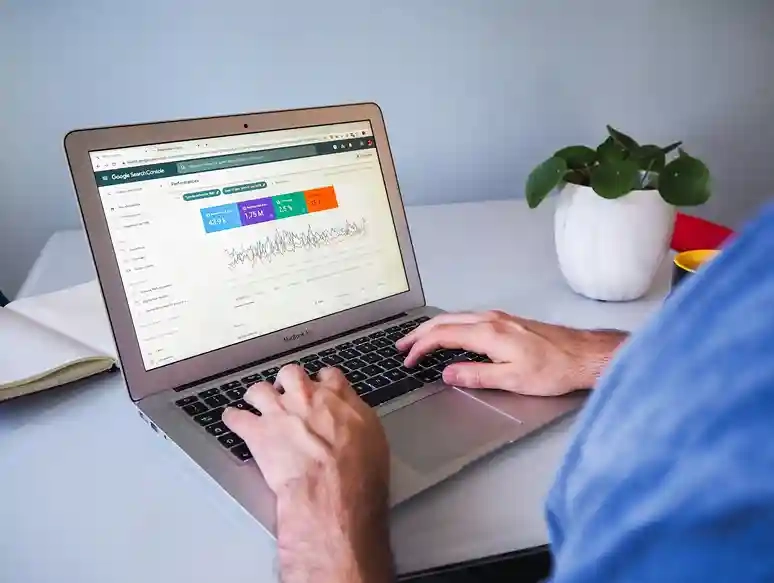
Google Search Console (GSC) is a free tool from Google that helps you monitor your website’s performance in Google Search.
Instead of guessing why a page isn’t ranking, Search Console shows valuable information such as which keywords people use to find your website, how often your pages appear in search results, your click-through rate (CTR), and whether Google has discovered any technical issues.
Why we recommend it:
It lets you monitor keyword rankings, submit XML sitemaps, track clicks and impressions, find indexing issues, improve Core Web Vitals, and spot pages with declining traffic — all in one free dashboard, with data straight from Google itself.
Beginner Tip
Check your Performance Report every week. Look for pages receiving many impressions but few clicks. Improving their titles and meta descriptions can often increase traffic without creating new content.
2. Google Keyword Planner
- Free | Best for Keyword Research
Before writing a blog post, launching an ad campaign, or creating a landing page, you need to know what your audience is actually searching for.
That’s where Google Keyword Planner comes in. Originally designed for advertisers, it’s also a valuable tool for beginners who want to discover relevant keywords, estimate search demand, and understand how competitive different search terms are.
Instead of guessing what your audience wants, you can use real search data to plan your content more effectively.
Why we recommend it:
It helps you discover new keyword ideas, view monthly search volume, analyse keyword competition, find long-tail opportunities, and filter results by location and language – keyword data straight from Google, at no cost.
Beginner Tip
Don’t chase only high-volume keywords. Long-tail keywords often have lower competition and attract visitors with more specific search intent.
3. Semrush
- Paid | Best All-in-One SEO Platform
If Google Search Console tells you how your website is performing, SEMrush helps you understand the entire competitive landscape.
It allows you to research keywords, analyse competitors, track your Google rankings, audit your website for SEO issues, monitor backlinks, and even discover new content ideas – all from one dashboard. You can compare plan details directly on SEMrush’s official pricing page before committing to a tier.
For small businesses that are ready to move beyond the basics, SEMrush can save hours of manual research and help you make data-driven marketing decisions.
Why we recommend it: Although it’s more expensive than beginner tools, the depth of insights it provides can save hours of research and help you make smarter marketing decisions.
Beginner Tip
Don’t try to learn every feature immediately. Start with Keyword Overview and Site Audit. Once you’re comfortable, explore competitor research and backlink analysis.
4. Ubersuggest
- Free & Paid | Best Budget SEO Tool
Not every small business needs an advanced SEO suite like SEMrush.
If you’re just starting your digital marketing journey, Ubersuggest offers many essential SEO features at a much lower cost.
Created by digital marketer Neil Patel, it’s designed to simplify keyword research, competitor analysis, and website audits without overwhelming new users. For bloggers, freelancers, and local businesses, it’s an excellent stepping stone before investing in more expensive tools.
Why we recommend it: It’s easy to use, affordable, and perfect for beginners taking their first steps in SEO.
Beginner Tip
Use Ubersuggest to find long-tail keywords with lower competition. These keywords are often easier to rank for, especially if your website is new.
5. Google Business Profile
- Free | Best for Local Businesses
If your business serves customers in a specific location – whether it’s a cafe, salon, clinic, gym, bakery, or retail shop. Google Business Profile is one of the most powerful free marketing tools available.
When someone searches for a business like “coffee shop near me” or “dentist in Mumbai,” Google often displays a map along with nearby businesses.That information comes from Google Business Profile.
Why we recommend it: It helps you appear in Google Search and Maps, collect customer reviews, share updates and offers, add photos and business hours, and track calls and direction requests – all without spending a single rupee on advertising.
Beginner Tip
Encourage satisfied customers to leave honest reviews. Positive reviews not only build trust but can also improve your visibility in local search results.
Real-World Example
Imagine two nearby restaurants serving similar food. One has 12 reviews and no photos. The other has 450 reviews, updated business hours, menu photos, and recent customer images.
Which one would you choose? Most people naturally trust the second option—and Google often does too.
Website Analytics Tools for Small Businesses
Getting traffic is exciting. Understanding what those visitors do after they arrive is even more important.
Analytics tools help you answer questions like:
- Where do visitors come from?
- Which pages perform best?
- How long do people stay?
- Why are users leaving without taking action?
These insights help you make smarter marketing decisions instead of relying on guesswork.
6. Google Analytics 4 (GA4)
- Free | Best for Website Analytics
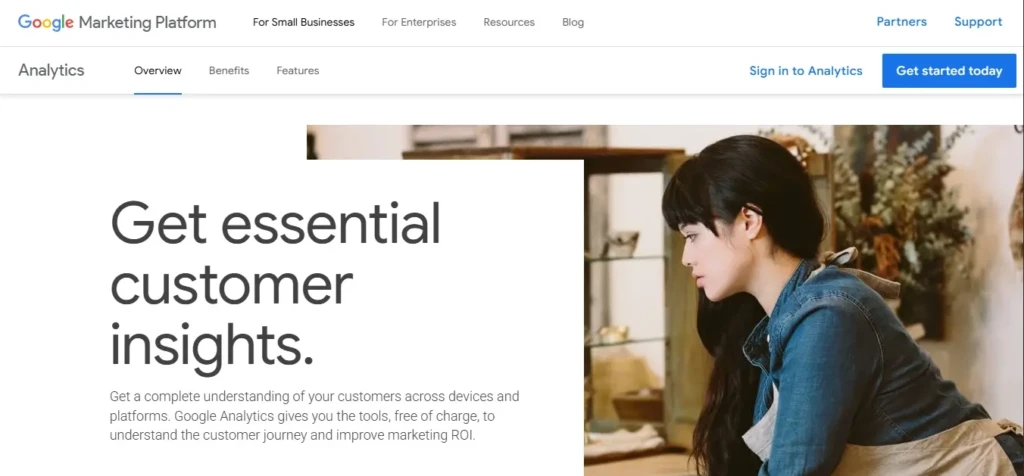
Google Analytics 4 (GA4) is Google’s free website analytics platform that helps you understand how people interact with your website. Instead of simply counting visitors, GA4 tracks user behaviour throughout their journey.
You’ll discover where visitors came from, which pages they viewed, how long they stayed, which devices they used, and whether they completed important actions like submitting a contact form or making a purchase.
Why we recommend it: Every business with a website should use GA4. It’s free, powerful, and provides valuable insights to improve your marketing strategy.
Beginner Tip
Don’t get distracted by every report. Focus on four key metrics first:
- Users
- Traffic Sources
- Engagement Time
- Conversions
Master these before exploring advanced reports.
7. Microsoft Clarity
- Free | Best for User Behaviour Analysis
Numbers tell you what happened. Microsoft Clarity helps you understand why it happened.
Using features like heatmaps and session recordings, Clarity shows where visitors click, how far they scroll, and where they struggle while using your website. It’s like watching your website through your visitors’ eyes. This makes it much easier to identify confusing layouts, broken buttons, or sections that people ignore.
Why we recommend it: Pair Clarity with GA4 for a complete picture of your website. GA4 provides the data, while Clarity shows the user experience behind it.
Beginner Tip
Install both Google Analytics 4 and Microsoft Clarity. GA4 tells you what visitors did. Clarity shows you how they behaved. Together, they provide a much clearer picture of your website’s performance.
Content Creation Tools for Small Businesses
Content is what attracts, educates, and converts your audience. But creating high-quality content consistently can feel overwhelming – especially when you’re running a small business.
The good news? You don’t need a full marketing team. With the right tools, you can design graphics, write content, and edit videos much faster.
8. Canva
- Free & Paid | Best for Graphic Design
Not everyone is a graphic designer – and thankfully, you don’t have to be.
Canva is an online design platform that allows anyone to create professional-looking marketing materials using drag-and-drop templates. Whether you need an Instagram post, YouTube thumbnail, presentation, flyer, or business card, Canva makes the process simple. Today, millions of businesses use Canva because it removes the technical barrier to creating great designs.
Why we recommend it: Canva is one of the easiest ways for small businesses to create professional-looking visuals without hiring a designer.
Beginner Tip
Create a Brand Kit with your logo, fonts, and colors. This keeps every design consistent and helps people recognize your brand.
9. ChatGPT
- Free & Paid | Best AI Assistant for Marketers
Coming up with fresh content ideas every day isn’t easy. That’s where ChatGPT becomes useful. It can help brainstorm blog topics, write social media captions, generate email drafts, summarize research, improve existing content, and overcome writer’s block.
However, it’s important to remember that AI works best as a creative assistant – not a replacement for your expertise. Always review, edit, and fact-check AI-generated content before publishing.
Why we recommend it: Used wisely, ChatGPT can save hours of work each week and boost your productivity.
Beginner Tip
Don’t ask AI to “write a blog.”
Instead, ask it to:
- Generate ideas
- Improve headlines
- Create outlines
- Suggest FAQs
The better your prompt, the better the result.
10. CapCut
- Free & Paid | Best for Short-Form Video Editing
Short-form videos continue to dominate platforms like Instagram Reels, TikTok, and YouTube Shorts. CapCut makes video editing accessible even if you’ve never edited a video before.
With ready-made templates, automatic captions, transitions, effects, and music, you can produce engaging videos directly from your phone or desktop.
Why we recommend it: It’s simple, beginner-friendly, and perfect for businesses using video to promote their products or services.
Beginner Tip
Start with Canva for graphics, ChatGPT for content ideas, and CapCut for videos. Together, they cover almost every content creation need for a small business.
Stay Consistent on Social Media
Growing on social media isn’t just about posting regularly – it’s about posting consistently.
Scheduling tools help you stay active without logging in every day.
11. Buffer
- Free & Paid | Best for Social Media Scheduling
Buffer allows you to schedule posts across multiple social media platforms from one dashboard. Instead of manually publishing every day, you can plan your content for the entire week in one sitting.
It also provides basic analytics to help you understand which posts perform best.
Why we recommend it: It’s easy to use, affordable, and ideal for solo entrepreneurs and small teams.
Beginner Tip
Batch-create your content every Sunday and schedule it for the week ahead.
12. Meta Business Suite
- Free | Best for Facebook & Instagram
If your audience is on Facebook or Instagram, Meta Business Suite is an essential free tool.
It lets you schedule posts, reply to messages, manage comments, view insights, and run advertising campaigns—all from one dashboard.
Why we recommend it: Since it’s built by Meta, it integrates seamlessly with Facebook and Instagram, making daily social media management much easier.
Beginner Tip
If you mainly use Facebook and Instagram, start with Meta Business Suite. If you manage multiple social platforms, Buffer is the better choice.
Turn One-Time Visitors into Loyal Customers
Social media algorithms change. Your email list belongs to you. That’s why email marketing remains one of the highest-ROI marketing channels.
13. Brevo
- Free & Paid | Best for Email Marketing Beginners
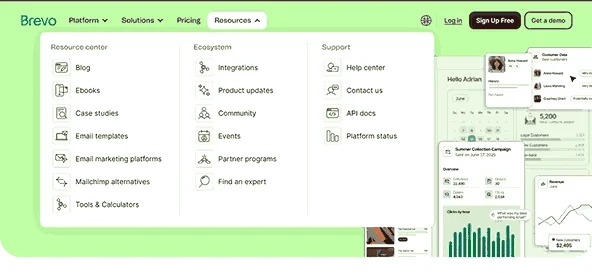
Brevo (formerly Sendinblue) combines email marketing, automation, and basic CRM features into one platform. You can create newsletters, send automated welcome emails, and manage your contact list without spending a fortune.
Its generous free plan makes it a great choice for startups and small businesses that want to start email marketing without a large budget.
Beginner Tip
Offer a free checklist or guide on your website to encourage visitors to subscribe.
14. Mailchimp
- Free & Paid | Best for Growing Businesses
Mailchimp has been one of the most trusted email marketing platforms for years. It offers email templates, automation, audience segmentation, and reporting, making it suitable for businesses looking to grow their email marketing efforts.
As your subscriber list grows, Mailchimp provides more advanced tools to personalize your email campaigns and improve engagement.
Beginner Tip
Segment your subscribers based on their interests instead of sending the same email to everyone.
15. HubSpot CRM
- Free & Paid | Best Free CRM
As your business grows, remembering every customer interaction becomes difficult.
HubSpot CRM stores customer details, tracks conversations, manages leads, and helps you organize your sales pipeline – all in one place. You can create a free account directly through HubSpot’s official CRM page without entering payment details.
Beginner Tip
Even if you only have a handful of customers today, start using a CRM early. Organizing customer data from day one saves countless hours later.
Google Ads: The Best Paid Advertising Tool for Small Businesses
SEO is a long-term strategy, but sometimes you need results sooner.
Google Ads allows you to place your business in front of people who are actively searching for products or services like yours. Unlike traditional advertising, you only pay when someone clicks your ad.
For example, if someone searches for “best bakery near me”, your business can appear at the top of Google’s search results within hours of launching a campaign.
16. Google Ads
- Paid | Best for Instant Visibility
Google Ads helps businesses generate targeted traffic through Search, Display, Shopping, Video, and Performance Max campaigns. It offers precise audience targeting and detailed performance reports, allowing you to measure your return on investment.
Why we recommend it: If your budget allows, Google Ads is one of the fastest ways to generate leads while your long-term SEO efforts continue to grow.
Beginner Tip
Start with a small daily budget while learning. Monitor your campaigns regularly and focus on improving quality score and conversion rate rather than simply increasing spend.
Quick Comparison Table
| Goal | Recommended Tool |
|---|---|
| Improve SEO | Google Search Console |
| Find Keywords | Google Keyword Planner |
| Advanced SEO | Semrush |
| Affordable SEO | Ubersuggest |
| Local SEO | Google Business Profile |
| Website Analytics | Google Analytics 4 |
| User Behavior | Microsoft Clarity |
| Graphic Design | Canva |
| AI Content | ChatGPT |
| Video Editing | CapCut |
| Social Media | Buffer |
| Facebook & Instagram | Meta Business Suite |
| Email Marketing | Brevo |
| Email Automation | Mailchimp |
| CRM | HubSpot CRM |
| Paid Advertising | Google Ads |
Recommended Tool Stack for Beginners
Choosing the right digital marketing tools for small businesses doesn’t mean buying everything. Start with what you need today and upgrade as your business grows.
| Monthly Budget | Recommended Tools |
|---|---|
| ₹0 | Google Search Console, Google Analytics 4, Microsoft Clarity, Canva, ChatGPT, Buffer, Brevo |
| ₹5,000 | Everything above + Semrush and CapCut Pro |
| ₹15,000+ | Everything above + Google Ads and HubSpot CRM |
Beginner Tip
A smaller stack of tools that you use consistently is far more valuable than paying for software you’ll rarely open.
Common Mistakes to Avoid
- Buying expensive software before understanding the basics.
- Using too many tools at once.
- Ignoring analytics and relying on guesswork.
- Paying for features you never use.
- Forgetting to integrate your marketing tools.
Free Digital Marketing Starter Kit
Want to save time choosing the right tools?
Download our Free Beginner’s Guide to Digital Marketing, which includes:
- A step-by-step introduction to digital marketing
- Beginner-friendly SEO tips
- Simple social media strategies
- Google Ads basics
- Free marketing tools to get started
- A 30-minute action plan
Frequently Asked Questions
1. Which digital marketing tool is best for beginners?
Google Search Console, Canva, and ChatGPT are excellent starting points because they’re easy to learn and either free or affordable.
2. Do I need paid marketing tools?
Not initially. Many small businesses can build a strong marketing foundation using free versions before upgrading.
3. What's the difference between Google Analytics 4 and Microsoft Clarity?
GA4 focuses on traffic and performance data, while Clarity shows how users interact with your website through heatmaps and session recordings.
4. Which email marketing tool should I choose?
Brevo is a great choice for beginners, while Mailchimp offers additional features for businesses with growing email lists.
5. Can AI replace digital marketers?
No. AI can speed up content creation and research, but strategy, creativity, and human judgment are still essential.
Final Thoughts
The best digital marketing tools aren’t necessarily the most expensive – they’re the ones that help you solve real business problems.
Start with the free tools, learn how to use them effectively, and upgrade only when your business outgrows them. Over time, the right combination of tools can help you work smarter, market more efficiently, and build stronger relationships with your customers.
Whether your goal is to rank higher on Google, grow your social media presence, or generate more leads, the tools in this guide provide a strong foundation for long-term success. Start with one or two tools, master them, and expand your toolkit as your business grows. Consistency will always outperform complexity.